- → Tane Mahuta
- → About Our Company
About Our Company
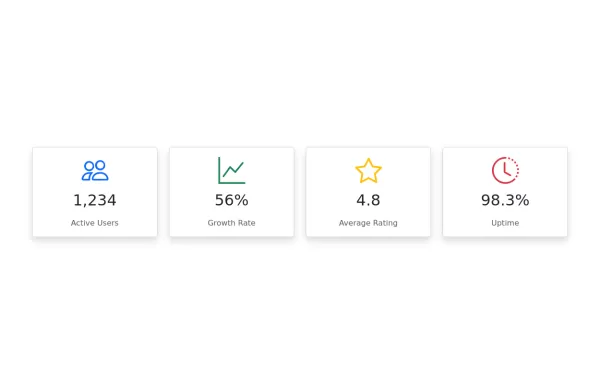
Display your company data
This bootstrap css example is contributed by Tane Mahuta, on 17-Jul-2024. Component is made with bootstrap css v.5.3. It is responsive. similar terms for this example is about me
Author Tane Mahuta
More Examples
-

1 year ago2.6kv.5.3
-
1 year ago2.2kv.4.6
-
About us section
about us section with image
1 year ago2.2kv.4.6 -
1 year ago2.6kv.5.3
-
Features section
Showcase features with icons
2 years ago1.4kv.4.6 -
User Settings Form
form with following sections - Personal Information - Profile Picture - Email Preferences - Account Settings - Change Password - Privacy Settings
1 year ago5.1kv.5.3 -
Pricing Page with Bootstrap and Icons
HTML: Navbar: Provides navigation links, including a link to the Pricing page. Pricing Section: Contains three columns, each representing a pricing plan with a card layout. Icons: Font Awesome icons are used for visual representation (e.g., stars and check circles). CSS: Card Styling: Adds border, shadow, and hover effects to the pricing cards. Plan-Specific Styles: Different border colors for each pricing plan (Free, Gold, Platinum). Button Styles: Different button colors to match the card styles. JavaScript: No custom JavaScript is required for this static pricing page, but you can add interactivity if needed. How to Use: Customize Content: Update the plan names, prices, features, and button actions as needed. Replace Icons: Choose different Font Awesome icons if desired by updating the <i> elements.
1 year ago1.5kv.4.6 -
1 year ago1.3kv.5.3
-
Social media buttons
Beautiful and simple social media buttons
1 year ago4.4kv.5.3 -
Responsive footer using HTML and Bootstrap:
HTML: Error Title: A large, bold number (e.g., 404) to indicate the error type. Error Message: A brief message explaining the error. Button: A button to navigate back to the home page. Adjust the href attribute to point to your actual home page URL. CSS: Background Gradient: Applied to the body to give a stylish look. Error Container: Centered on the page with a semi-transparent background for contrast. Button Styling: Custom colors for the button, including hover effects. How to Use: Create an error.html file and paste the above code into it. Place the error.html file in your web server’s error pages directory or configure your server to serve this file on error.
1 year ago9.4kv.4.6 -
6 months ago1.2kv.5.3
-
Interactive Star Rating
A dynamic star rating component where users can select their rating by clicking on stars. The rating can range from 1 to 5 stars, offering immediate visual feedback on hover and selection.
1 year ago14kv.5.3
Didn't find component you were looking for?
Search from 300+ componenent