- → Juan Antonio González Hernández
- → Hero slider
Hero slider
This bootstrap css example is contributed by Juan Antonio González Hernández, on 10-Mar-2026. Component is made with bootstrap css v.5.3. It is responsive. similar terms for this example is Masonry
More Examples
-
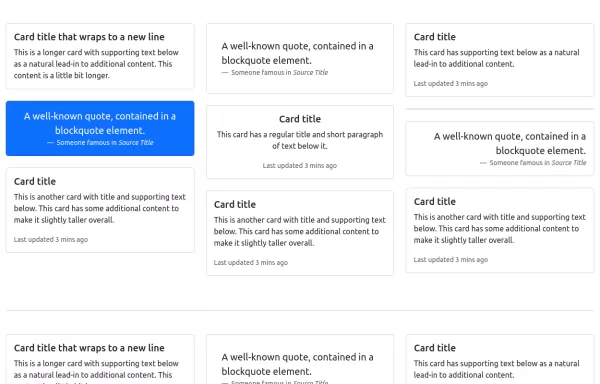
Card Layout
Using masonry in cards layout
1 year ago4.5kv.5.3 -
Carrousel banner product
It's a carousel; clicking on its categories opens a banner with the product.
2 months ago445v.5.3 -
Scroll Animation
Scroll Animation
1 year ago3.5kv.4.6 -
2 months ago520v.5.3
-
2 months ago464v.4.6
-
Product Card
A product card layout for an e-commerce website with an image at the top
1 year ago18.3kv.5.3 -
3 weeks ago75v.4.6
-
9 months ago2.2kv.5.3
-
Contact Us Page with Google Maps and Form Validation
HTML: Form Fields: Includes fields for name, email, and message. Google Map: A div with an id of map where the Google Map will be displayed. Feedback Elements: <div> elements for displaying validation messages and success messages. CSS: Styling: Adds padding for the contact section, sets the map height, and styles feedback and success messages. JavaScript: Google Maps Initialization: Uses the Google Maps JavaScript API to create and display a map centered at specified coordinates. Replace YOUR_GOOGLE_MAPS_API_KEY with your actual API key. Form Validation: Validates the input fields and displays appropriate messages if the input is invalid or missing. How to Use: Replace API Key: Insert your Google Maps API key in the script tag for Google Maps. Customize Coordinates: Update the latitude and longitude in the initMap function to reflect your actual location. Validation Rules: Customize validation logic as needed for your form requirements.
1 year ago8.2kv.4.6 -
3 weeks ago43v.4.6
-
Basic hero
Hero section with background image
2 years ago4.6kv.4.6 -
4 weeks ago98v.5.3
Didn't find component you were looking for?
Search from 300+ componenent