- → Anonymous
- → Invoice template with bootstrap
Invoice template with bootstrap
This bootstrap css example is contributed by Anonymous, on 20-Jul-2024. Component is made with bootstrap css v.4.6. It is responsive.

Author Anonymous
More Examples
-
 1 year ago4.3kv.5.3
-
 2 years ago4.3kv.5.3
-
Credit Card Clone
On hover shows backside of credit card
2 years ago2.2kv.5.3 -
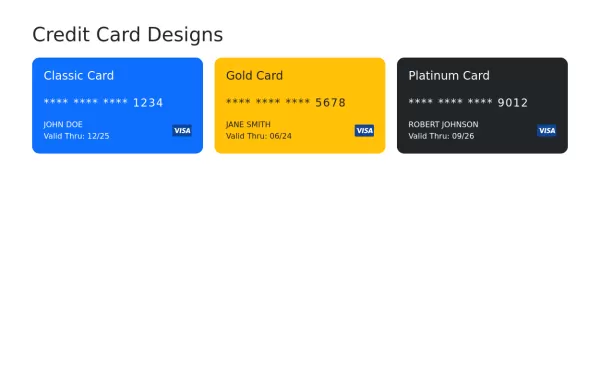 Credit cards bootstrap 5
credit cards design made with Bootstrap 5
2 years ago4.6kv.5.3 -
 1 year ago4.5kv.5.3
-
 1 year ago3.1kv.5.3
-
 1 year ago3.4kv.4.6
-
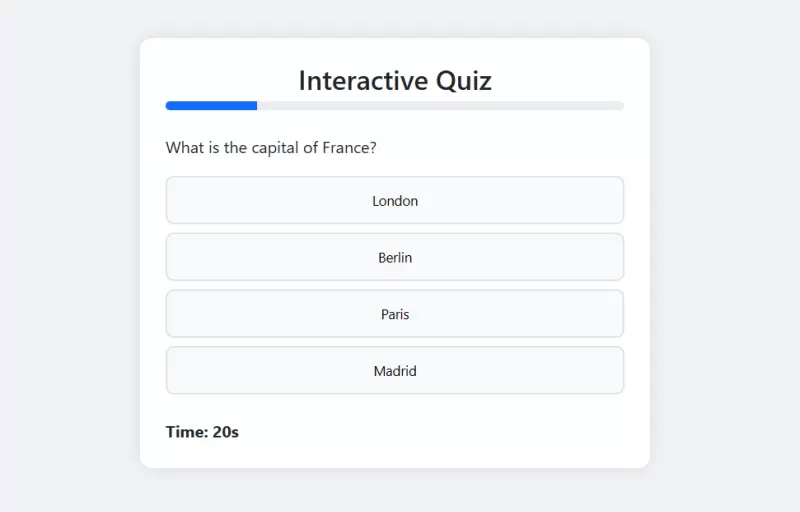 Interactive Quiz Application
1. Dynamic Question Loading: Questions are loaded one at a time from a predefined set. 2. Timer: Each question has a 30-second time limit. Interactive Options: Users can select their answer, with visual feedback for correct and incorrect choices. 3. Progress Bar: Shows the user's progress through the quiz. 4. Results Summary: Displays the final score with a congratulatory or encouraging message. 5. Responsive Design: The quiz adapts to different screen sizes.
2 years ago11.7kv.5.3 -
 Background image with bootstrap 4
Bootstrap 4 background image
1 year ago2.1kv.4.6 -
 2 years ago9.3kv.5.3
-
 2 years ago1.9kv.4.6
-
 Responsive footer using HTML and Bootstrap:
HTML: Error Title: A large, bold number (e.g., 404) to indicate the error type. Error Message: A brief message explaining the error. Button: A button to navigate back to the home page. Adjust the href attribute to point to your actual home page URL. CSS: Background Gradient: Applied to the body to give a stylish look. Error Container: Centered on the page with a semi-transparent background for contrast. Button Styling: Custom colors for the button, including hover effects. How to Use: Create an error.html file and paste the above code into it. Place the error.html file in your web server’s error pages directory or configure your server to serve this file on error.
2 years ago10.9kv.4.6


Didn't find component you were looking for?
Search from 300+ componenent

