- → Anonymous
- → siam form validation
siam form validation
form validation resourse
This bootstrap css example is contributed by Anonymous, on 14-May-2026. Component is made with bootstrap css v.4.6. It is responsive.

Author Anonymous
More Examples
-
 Restrurant Website
Only for me
3 months ago308v.5.3 -
2 months ago452v.5.3
-
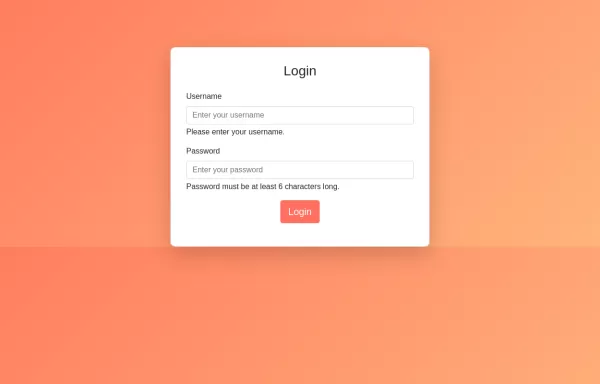 Login Form with input field validation, and display error or success messages using only HTML, CSS, and Bootstrap, you can follow this approach.
HTML: Form Structure: Contains fields for username and password with validation attributes (required, minlength). Feedback Messages: Placeholder div for dynamic error messages. CSS: Background Gradient: Applied to the body. Card Styling: Rounded corners and centered layout. Button Styling: Custom colors for the submit button. Validation Styling: Borders and error message styling. JavaScript: Validation Logic: Basic client-side validation to check if fields are empty or meet minimum length requirements. Feedback Messages: Display appropriate error or success messages based on validation.
2 years ago8.9kv.4.6 -
 2 years ago9.1kv.4.6
 -
2 months ago539v.5.3
-
4 months ago510v.4.6
-
new-validation-form
new-validation-form
2 months ago332v.4.6 -
2 months ago391v.4.6
-
 1 year ago4.3kv.5.3
 -
2 months ago383v.5.3
-
 2 years ago8.5kv.4.6
 -
2 months ago705v.5.3



Didn't find component you were looking for?
Search from 300+ componenent

