- → zobaidul kaziex
- → User Profile Card with Bootstrap
User Profile Card with Bootstrap
How to Use:
Replace Image URL: Update the src attribute of the img tag to the actual URL of the user’s image.
Update Text: Change the text inside the h5 and p elements to reflect the user’s actual name and biography
This bootstrap css example is contributed by zobaidul kaziex, on 05-Sep-2024. Component is made with bootstrap css v.4.6. It is responsive.

Author zobaidul kaziex
More Examples
-
 3 months ago1kv.5.3
-
main css
do not copy
6 months ago882v.4.6 -
4 months ago393v.5.3
-
 1 year ago1.4kv.5.3
-
6 months ago619v.4.6
-
 2 years ago1.7kv.5.3
-
 Sign in form with bootstrap 5
Beautiful sign-in card with Bootstrap 5
2 years ago10.1kv.5.3 -
 Carrousel banner product
It's a carousel; clicking on its categories opens a banner with the product.
8 months ago1.7kv.5.3 -
 9 months ago870v.4.6
-
4 months ago274v.4.6
-
contact us page
do not copy
6 months ago892v.4.6 -
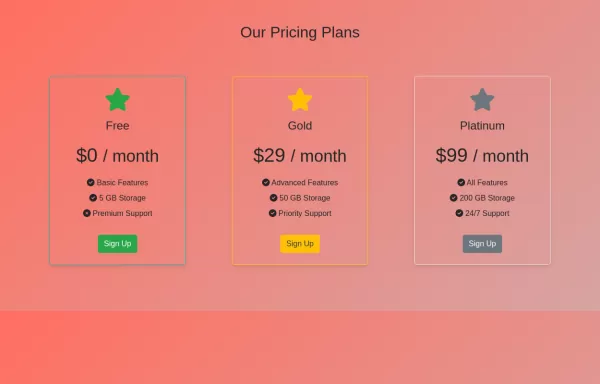 Pricing Page with Bootstrap and Icons
HTML: Navbar: Provides navigation links, including a link to the Pricing page. Pricing Section: Contains three columns, each representing a pricing plan with a card layout. Icons: Font Awesome icons are used for visual representation (e.g., stars and check circles). CSS: Card Styling: Adds border, shadow, and hover effects to the pricing cards. Plan-Specific Styles: Different border colors for each pricing plan (Free, Gold, Platinum). Button Styles: Different button colors to match the card styles. JavaScript: No custom JavaScript is required for this static pricing page, but you can add interactivity if needed. How to Use: Customize Content: Update the plan names, prices, features, and button actions as needed. Replace Icons: Choose different Font Awesome icons if desired by updating the <i> elements.
2 years ago2.4kv.4.6


Didn't find component you were looking for?
Search from 300+ componenent

